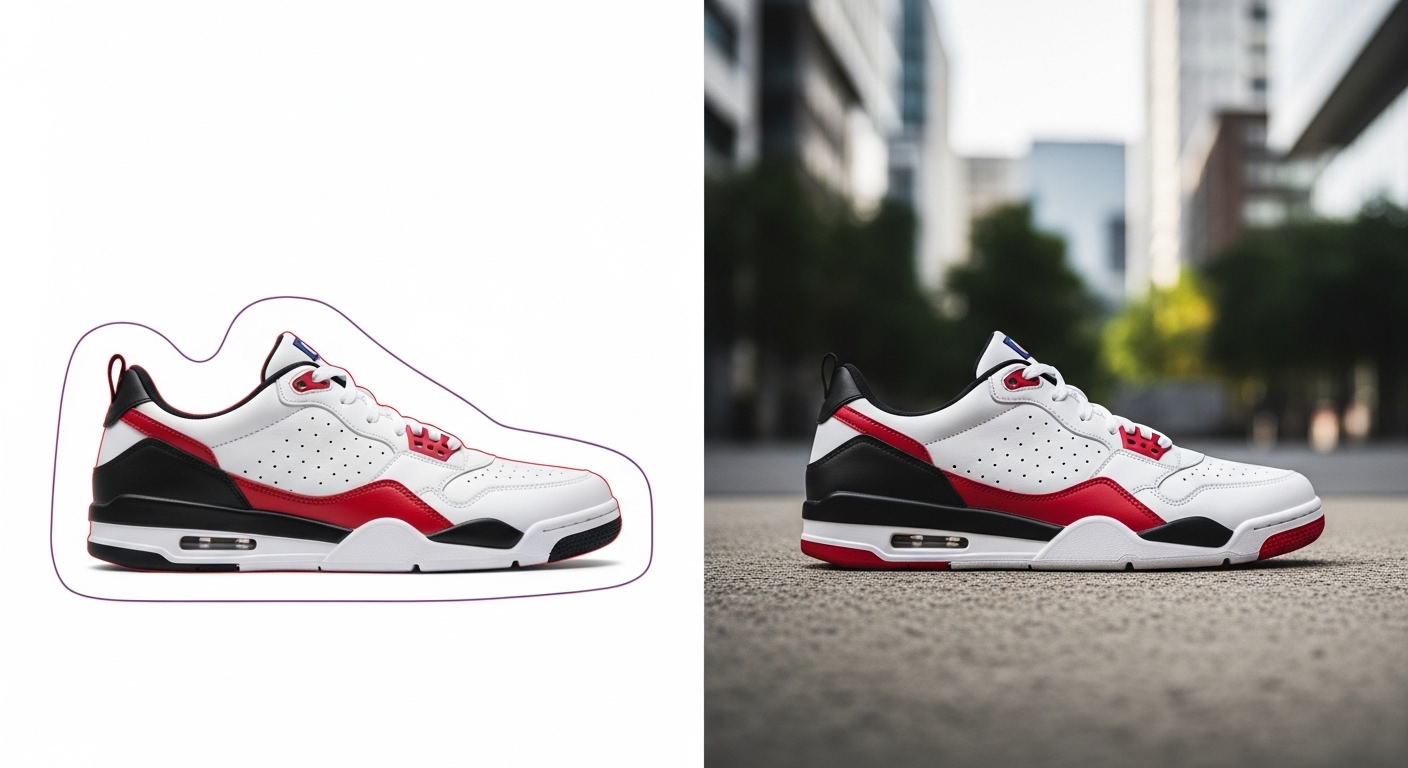
Background work is the most mature corner of AI imaging. Instead of cutting out hundreds of products one by one in Photoshop, you can now clear and rebuild a whole catalogue in hours, and with far more consistency than hand-clipping ever gave you. But having the tool isn't the same as having the job done. This guide covers which tool is right for which task, the mistakes AI reliably makes, and how to hold consistency at scale.
The 2026 map of AI background tools
It helps to split the tools into four groups by purpose. Putting the wrong tool on the wrong job costs you both time and quality.
Fast, bulk removal. Remove.bg and Photoroom clear the background on hundreds of images in seconds. They're excellent on simple silhouettes and clean-edged products, and their APIs let you process large catalogues automatically. Replacement and scene generation. Pebblely and Flair AI read the product and build a new, on-brand scene around it. They'll drop a perfume bottle onto a marble counter or a shoe onto a street surface. Professional workflow. Photoshop Generative Fill and Adobe Firefly give you high resolution, licensing safety and full Adobe pipeline integration. Final retouching on your hero images happens at this layer. Video backgrounds. Runway Green Screen and Unscreen handle motion content, masking frame by frame.
Removal vs replacement: the difference matters
Technically these are two different jobs. Removal is a segmentation problem: find the product edges and erase what's behind them. Replacement is a generation problem: build a new world in the cleared area that matches the product in light and perspective.
Removal (transparent or white background) is for the standard images that Amazon, Trendyol and Zalando ask for. Product sharp, background pure white, nothing to distract the eye. That's a technical requirement of the sale. Replacement (lifestyle) is for the brand's own site, Instagram and ads. The product sits inside a scene that carries a mood and a use context. Most brands need both. The ideal is to produce both versions from a single clean source shot.
Our workflow: 500 SKUs delivered in a day
The pipeline we built for a large fashion e-commerce client shows that the real power of AI isn't in any single tool, it's in the right sequence of them.
(1) A clean studio capture. 500 SKUs under one controlled light, eight hours. The goal here isn't a perfect scene, it's a perfect source: sharp edges, accurate colour, consistent angle. (2) Bulk removal. Photoroom clears 500 backgrounds in an hour and tags them automatically with a file-naming rule. (3) Lifestyle variants. Pebblely generates three scenes per product across 500 products in three hours, automated. (4) Human review. A visual pass, then Firefly Generative Fill for whatever needs a fix, two hours. Total: one day, 2,000 images. The same job on a traditional pipeline would have taken two to three weeks.
Quality control: the 5 mistakes AI makes
AI is fast, not flawless. Five recurring errors we've seen across years of production, and how we handle them:
1) Edge halo. On semi-transparent detail like hair, tulle or glass, a ghost line gets left behind. Manual correction with Firefly Generative Fill is a must. 2) Shadow mismatch. AI adds a shadow that doesn't fit the scene or points the wrong way. Keep to the light direction in your brand guide. 3) Product colour shift. Some tools try to match the product's colour to the scene. This one is fatal, because the customer then receives the wrong colour. The colour reference has to stay locked. 4) Wrong scale. The product can sit in the scene disproportionately small or large. Check the perspective. 5) Cultural mismatch. An "Italian villa background" doesn't always feel right for a Turkish e-commerce brand. Local scenes that sit closer to the target audience convert better.
3 rules for brand consistency
One good image is easy. Getting 50,000 images to speak the same language is hard. Three rules that hold it together:
1) Build a reference library. Set 5 to 10 approved background styles and route every new product to one of them. No free generation. 2) Fix colour and light direction. For example, natural light from the 10 o'clock direction and a warm white balance, applied across the whole catalogue. 3) Add checkpoints. Every 100 products, a human eye reviews the full set. AI tools drift over time without anyone noticing, meaning the output slowly wanders away from the intended style.
PAM AI Studio: scaling from 500 to 50,000
When your e-commerce production grows from 500 products to 50,000, the deciding factor isn't which AI tool you use. It's how scalable the workflow you've built actually is. We've set up exactly that scale with Turkey's large e-commerce brands: systems that produce thousands of images a day, consistent, marketplace-compliant and true to the brand voice.
We can design a background system around your product range, the marketplace requirements you're targeting and your brand identity. Both the white-background images that meet the technical standard and the lifestyle scenes that tell your story, all from one pipeline. Let's start with a demo call.
Let's build this together.
Whether it's a single campaign or a year-long production partnership, we bring the same discipline that works for Cartier, Mercedes-Benz, Nike and Pierre Cardin. We mentor your team as we deliver: transparent process, documented AI decisions, no black boxes.
Email: [email protected]
Phone: +90 530 267 49 29
Studio: Yayıncılar Sok. 10/3, Seyrantepe · Istanbul