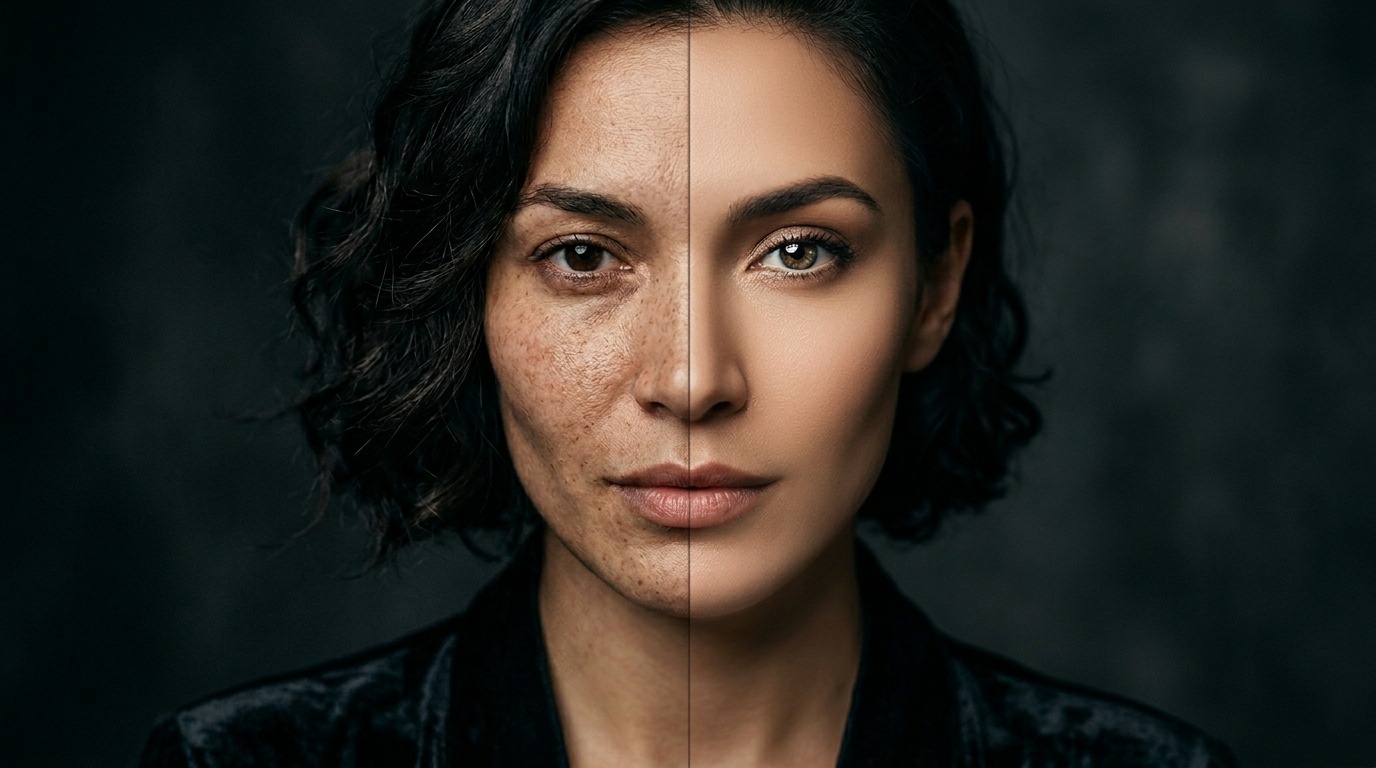
AI retouching tools can transform a photo in minutes. They clear up skin, clean the background, and sharpen a soft frame. Most of them are free, too. But "free" doesn't always mean "good enough for professional work." In this guide we go through the best free retouching tools of 2026, which one shines on which job, and when you honestly need to move to a paid workflow.
Top 7 free AI photo retouching tools in 2026
1. Photoshop Generative Fill: 30-day Adobe trial gives full access, AI-powered object removal and content-aware fill. 2. Luminar Neo (trial + extensions): 30-day free trial, AI sky replacement and skin smoothing. 3. Pixlr AI: Browser-based free editor, AI retouch, background and upscaling — no signup required. 4. Fotor AI: Free tier offers one-click portrait and product retouching, watermark-free. 5. Remini: Mobile-first, champion at restoring old or blurry photos — 5 free daily generations. 6. Cutout.pro: Background removal plus portrait retouch, free tier covers most needs. 7. Krea Enhance / Magnific demo: Demo limits for high-resolution upscaling — a creative team favorite.
Quality comparison: same portrait, five outputs
Brief: "Studio portrait, keep natural skin texture, lively eyes, clean background." Photoshop Generative Fill: Full control, composition editable — 9/10. Luminar Neo: Skin gets too soft, sometimes "plastic" — 7.5/10. Remini: Detail and sharpness champion, but the sharpening runs aggressive — 7/10. Fotor: Good speed, reasonable naturalness — 7/10. Pixlr AI: Fine for a fast social retouch — 6.5/10. For professional work Photoshop is still the clear number one. In the free tier, Remini stands out on the speed-and-quality combination.
Commercial use and copyright
Photoshop Generative Fill: Full commercial license, backed by Adobe Stock. Luminar Neo: Free trial works for commercial use, but read the license terms. Pixlr, Fotor: Free tier has no watermark and commercial use is allowed, though an upgrade makes sense for dedicated brand campaigns. Remini: Uses facial recognition, so mind the personal-data side (GDPR). Cutout.pro: Free outputs are fine for commercial use. General rule: if you're retouching for a client campaign, pick a documented tool like Photoshop or Luminar. For a quick social retouch, the free tier is enough.
Which tool for which type of retouching?
Portrait skin and tone retouching: Photoshop Generative Fill, Luminar Neo. Old or blurry photo restoration: Remini (mobile), Topaz Photo AI (paid, but has a trial). Product photo background cleanup: Cutout.pro, Pixlr AI. Eyes, teeth, makeup retouching: Fotor AI, FaceApp (mobile). Upscaling: Krea Enhance, Magnific demo, Topaz. Most professional workflows combine two or three tools: automated retouching in the first pass, then manual fine-tuning in Photoshop.
Signals to move from free to paid
If any of these are true, a professional license becomes a must: (1) You retouch 20+ portraits a week, so daily limits will choke you. (2) The client wants high resolution for 300 DPI print. (3) Brand skin tone and character consistency matter, which calls for a Photoshop preset library. (4) You retouch starting from RAW files, which means a Lightroom plus Photoshop workflow. (5) Faces need commercial publishing rights, with model release and privacy compliance. At that point, Adobe Creative Cloud Photography ($9.99/mo), Luminar Neo ($79 lifetime), or Topaz Photo AI ($199) is the right investment.
The golden rule of professional retouching: less is more
The biggest trap free tools create is over-retouching. One-click skin smoothing can turn a face into a plastic mask, and aggressive sharpening can wipe out natural texture. The secret of professional retouching is the opposite: an edit you can't see. A good retouch never looks "retouched."
The key to that is hidden at the shoot stage. A frame captured with the right light and the right exposure does half the retoucher's job before anyone opens a file. Years on set taught us this: instead of trying to "rescue" a badly lit photo with AI, it's faster and more natural to shoot it right from the start. AI retouching is excellent as a thin polish on a good source. When it tries to compensate for a bad frame, it produces something artificial.
A practical professional workflow usually has two layers. First an automated AI pass for general cleanup — dust, blemishes, background — then manual fine-tuning by hand in Photoshop for skin transitions, eye life, and brand color match. The pairing puts AI's speed together with human judgment.
Once you've seen where free tools stop
Free AI retouching tools are great for fast social content. But in production work, skin naturalness, brand consistency, and copyright safety become critical. At PAM Istanbul we run the whole process from the shoot to post-production: right capture light plus minimal AI retouch is the most natural result. We build a sustainable retouching workflow that fits your brand's visual language.
Let's make this together.
We've produced commercials and photography since 2018; over the last 3 years we've integrated AI retouching into our workflow. We mentor your team while we produce: transparent process, natural results, brand consistency. Let's build your photo production and AI retouching workflow together.
Email: [email protected]
Phone: +90 530 267 49 29
Studio: Yayıncılar Sok. 10/3, Seyrantepe · İstanbul